Kakobuy Size Label QC for Order Mismatches
Kakobuy Size Label QC for Order Mismatches
Once an item enters the kakobuy warehouse, if the size label, hang tag, or packaging label in the QC photos differs from the order specifications, do not confirm warehouse receipt or arrange international shipping right away. The correct approach is to put the order record, seller specifications, and warehouse photos together in the same evidence chain, and determine whether it is a clear wrong shipment, conflicting labels, or insufficient evidence from current photos.
This article applies to clothing, shoes, bags, and other items that are still in the warehouse and can still request additional photos or after-sales handling. It does not apply to items already submitted for international shipping, items with key packaging or hang tags removed, or cases where you are judging fit based solely on wearing preference. The process and time limits were verified on September 4, 2026; fees, policies, and page status may change, so before taking action, always refer to the information shown on the order page at that time.
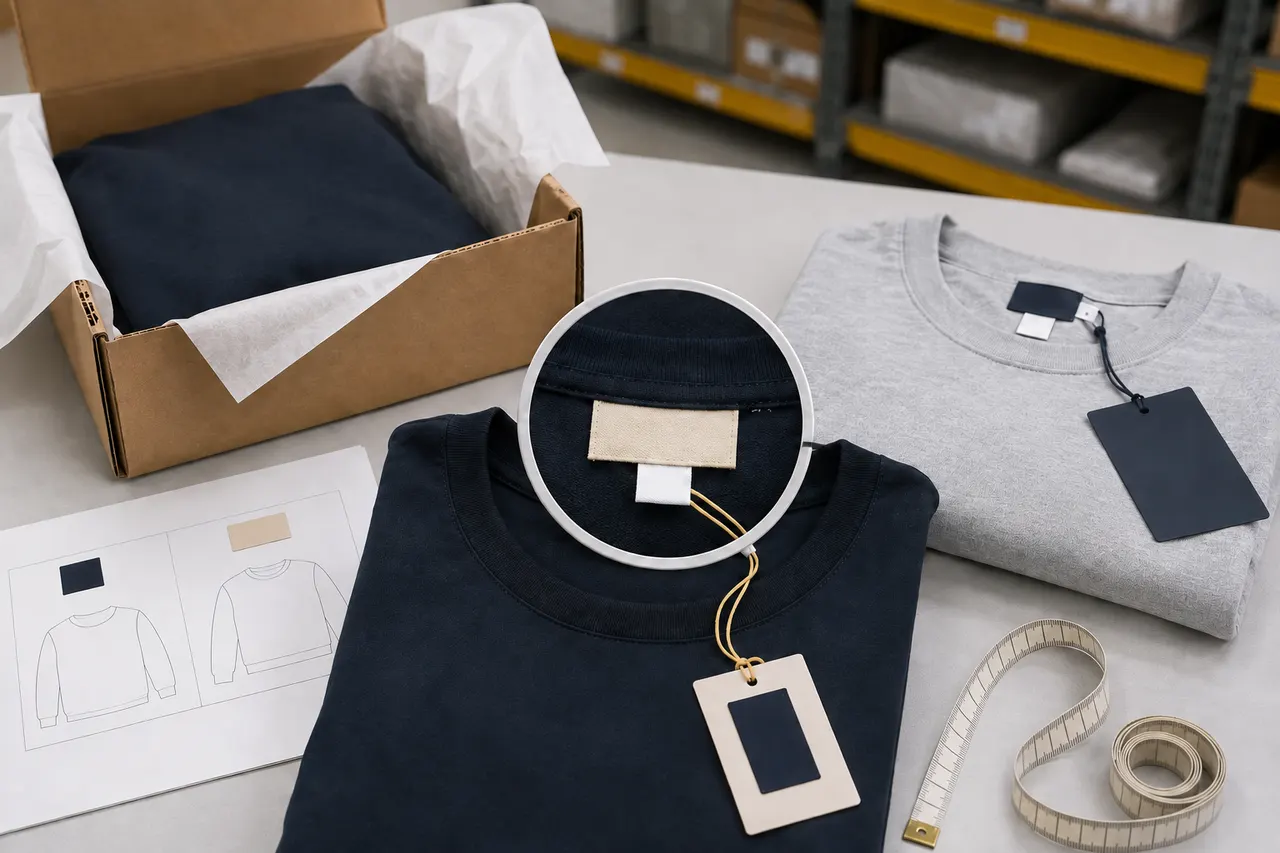
Figure: Step-by-step verification of size differences from order specs, QC labels, and additional photo evidence.
First, gather the order specifications and verifiable information together
Before looking at the QC photos, save the information from the current order page that can confirm the purchased specifications, including:
Product name and partial order number. When sharing screenshots, cover name, address, phone number, and full order number.
Size, color, and style selected when ordering.
Seller's size system, such as Chinese size, EU size, US size, or letter size.
Size chart, color code, or style number provided on the product page.
Warehouse arrival time and after-sales countdown.
Fees already paid or indicated on the page for additional photos, returns, exchanges, and domestic shipping within China.
Do not judge based solely on "L" or "42" in the product title. The same characters may represent different sizes in different countries, brands, and categories, and sellers may also use custom sizing. If the product page is no longer available, you can use the specification text and thumbnail saved in the order details, but mark parts that cannot be re-verified as "page currently not verifiable".
The goal of this stage is not to prove that the item is definitely wrong, but to establish what you actually purchased. 📋
Locate size labels, hang tags, and packaging labels in QC photos
Check existing photos from outside to inside: packaging bag stickers, product hang tags, sewn-in size labels, tongue or shoebox labels, and overall photos that can identify style and color.
For clothing, prioritize neck labels, waist labels, or care labels. For shoes, usually need to check shoebox, tongue, and near-insole markings. For bags, check hang tags, packaging labels, and internal model tags. Every time you find a marking, record which photo and position it is in. Do not just write "photo shows wrong size".
Information from kakobuy inspection indicates that routine checks mainly verify appearance such as style, quantity, color, size, and model. Sealed items and some non-clothing, bags, and shoes with seal labels or sealing strips may not be unsealed, and the warehouse can only judge based on outer packaging information and appearance condition. Therefore, packaging label consistency does not necessarily prove internal label consistency; conversely, the warehouse not photographing internal markings does not mean the inside is definitely wrong.
Verify size system, color code, and style number
First compare "the same field within the same system" before judging differences. For example, if the order is EU 42 and the tongue shows EU 42, US 9, and CM 27 at the same time, this is usually multiple size systems listed together; you should not directly compare US 9 with 42 in the order.
Check in the following order:
Confirm which size systems the order and label use respectively.
Check if the product page provides a conversion chart specific to this item.
Compare color name, color code, and actual appearance to see if they point to the same option.
Compare style number, model number, or item number to rule out mixed shipment of similar styles.
If labels match the order but you still have concerns about size, request measurements of key areas, rather than asking the warehouse to judge "whether it fits". 📏
Generic online size conversions can only be used as clues and cannot override the seller's own size chart. Especially for shoes, children's clothing, and items with numeric codes, similar label numbers cannot be directly considered equivalent.
Distinguish clear wrong shipment, conflicting markings, and insufficient evidence
Clear categorization can reduce back-and-forth with customer service and avoid mistakenly choosing return when evidence is insufficient.
Clear wrong shipment: Order chose M, clearly visible sewn-in size label and hang tag both show L; or order color code and style number consistently point to another specification across multiple visible labels.
Conflicting markings: Packaging sticker says M, hang tag says L; shoebox says EU 42, tongue says EU 41; product style number does not match outer packaging number.
Insufficient evidence: Size label folded, reflective, blocked, or low resolution; only outer packaging photos; order page does not show full specifications; different size systems not yet cross-checked.
Size doubt: Labels match the order, but buyer suspects actual measurement deviation in length, chest, insole length, etc. In this case, request measurements; do not describe it as wrong shipment.
Only the first category can usually raise a specification discrepancy directly with existing photos. The second category requires additional photos and asking the warehouse to verify the physical item. The third category requires completing evidence first. The fourth category should be rephrased as a specific measurement request. 🔍
Use a specification check table to record photo and order differences
A simple record table is sufficient for subsequent communication; you do not need to upload entire order screenshots containing irrelevant personal information.
Check item | Order or seller record | QC photo evidence | Current judgment | Next step |
|---|---|---|---|---|
Size | Selected option and size system | Photo number, label position, and readable text | Consistent, conflicting, or unclear | Confirm or request additional photo |
Color | Color name or code | Hang tag code and overall photo | Consistent or suspected wrong color | Request additional photo in natural light |
Style | Style name, model, or item number | Hang tag and packaging number | Consistent or suspected mixed style | Verify number close-up |
Actual dimensions | Measurement values in seller's size chart | Warehouse measurement photos | Within tolerance or pending confirmation | Ask about tolerance and after-sales options |
When recording, use verifiable descriptions, such as "QC photo 3, bottom right corner, hang tag shows L", not "looks completely wrong". If the photo is unreadable, state clearly "unable to identify", to avoid turning speculation into a complaint basis.
Which obscured or unclear information requires requesting additional photos
In the following situations, requesting additional photos is usually safer than confirming immediately or returning directly:
Size label only partially visible, key letters or numbers blocked by fabric folds.
Hang tag reflective, out of focus, or low resolution.
Packaging sticker and product label inconsistent, but no same-frame evidence.
Shoebox has size information, but no tongue or inner label photo.
Need to verify style number, but existing photos only show the front of the item.
Labels correct, but actual dimensions determine usability.
Additional photo requests should specify the subject, angle, and reference method. For example: "Please unfold the neck size label and take a close-up so that the complete letters and numbers are readable"; when measurements are needed, state from which point to which point, and require the tape measure to be straight with both start and end points in frame.
List all necessary shots at once to reduce repeated requests and consumption of the after-sales countdown. Do not ask to open items restricted by sealing rules, and do not let the warehouse judge fit based on experience.
Check fees and time boundaries before confirming, exchanging, or returning
According to the kakobuy platform information provided this time, the no-reason return/exchange window after warehouse arrival is 120 hours, i.e., 5 days, but customized items, restricted items, adult products, intimate apparel, food, and items where the warehouse has been asked to remove packaging, hang tags, or accessories may not apply. This information was verified on September 4, 2026; before submitting any action, check the real-time countdown on the order page and the applicable conditions for the item again.
Also confirm who bears the fees. If evidence proves seller wrong shipment, ask about seller liability and domestic return/exchange shipping arrangements within China; if the buyer simply selected the wrong size or changed expectations about fit, they may need to bear return/exchange costs themselves. Additional photo fees, service fees, and return shipping fees should not be assumed based on experience; refer to the current order page or details provided by customer service.
Before deciding, check these boundaries:
Is there enough after-sales time remaining to wait for additional photos and customer service reply?
Does the item fall into a category that does not support no-reason return/exchange?
Has packaging, hang tags, or accessories been removed?
Does the seller accept exchange, and is the target specification still available?
What are the respective costs for return, exchange, and re-shipping to the warehouse?
Has the international parcel been submitted, and can the item still be withdrawn from the parcel?
Do not fabricate size, damage, or label issues to obtain after-sales service. The more specific the evidence, the easier it is for the platform to route the problem to the correct handling process. ⏱️
Submit follow-up actions to kakobuy based on evidence results
After completing the verification, choose actions based on evidence strength:
If order specifications match multiple clear labels and actual measurements meet your requirements, you can confirm the item and proceed to consolidation or shipping.
If labels match but you still have doubts about actual size, first request measurement photos with a tape measure, then decide whether to keep.
If packaging, hang tags, and sewn-in labels conflict, submit photo numbers and a difference table, and ask the warehouse to verify the physical item. Do not confirm directly.
If clear evidence shows specification wrong shipment, initiate exchange or return within the after-sales window, and attach order specifications and corresponding QC photo positions.
If evidence is insufficient and after-sales time is tight, immediately submit specific additional photo requirements, and confirm with customer service through the order channel whether the countdown continues.
The message to customer service can be kept brief: "Order selected EU 42; QC photo 2 shoebox label shows EU 42, but photo 4 tongue label shows EU 41. Please verify tongue labels of both left and right shoes and take clear close-ups; please do not confirm warehouse receipt or remove packaging before verification."
The direct benefit of this method is reducing repeated communication caused by vague descriptions and lowering the cost of handling wrong specifications after they enter the international parcel. It may increase one additional photo fee and waiting time, and may also compress the after-sales window due to waiting. It suits buyers with label discrepancies, complex size systems, or where actual dimensions affect usability; if the order and clear labels are completely consistent, the item does not support return/exchange, or the parcel is already in an irreversible international shipping stage, then this should not be treated as a guaranteed return/exchange solution.
This article was generated by the automated editorial process of Panda-Buy Editorial Desk and fact-checked against the provided platform information. It does not claim actual purchase, wearing, or on-site inspection by a real person.
agent platform shopping FAQ
1. What is the purpose of using a spreadsheet on kakobuy?
Since kakobuy does not show products directly like typical agent platforms, you need a spreadsheet to locate the items you want and obtain their purchase links. You could also ask for suggestions on Reddit or Discord; the products shared there are often high quality, but the buying process tends to be slow. These spreadsheets are usually built over a long period by collecting information from those communities.
2. What kinds of products are available on kakobuy?
kakobuy carries a wide range of product types, such as shoes, T-shirts, sweaters, hoodies, jeans, sweatpants, shorts, beach shorts, factory clearance items, down jackets, baseball jerseys, shirts, hats, jewelry, bags, electronics, sunglasses, socks, underwear, and trendy collectibles.
3. Why doesn't kakobuy use Google Sheets for its spreadsheets?
Google Sheets works only for spreadsheets with very few products. As the number of products grows, loading becomes very slow and the system lags heavily. On mobile devices, the display is poor and searching for items is very difficult. For the same products, kakobuy's website spreadsheet loads faster and provides a better viewing experience.
4. How do I search for the item I want to buy on kakobuy?
You can search with one keyword or go to the category page, where products are also sorted by brand. Longer search phrases usually give fewer results than shorter ones, but they are more accurate. For example, you can search for "Air Force 1 White," "sneakers," or just "Air Force 1."
Browse our latest products and find your next favorite item.